

Know what parts you have, where they are, and what to buy. Free, for the bench and the small shop.
This release candidate is not signed by Apple yet. The first time it opens, macOS will refuse it – open System Settings › Privacy & Security and click Open Anyway beside Ledgerstone. On Sonoma, Control-click it in Applications and choose Open.
If macOS says the app is damaged, that is the mark it puts on files from the web. In Terminal, after Ledgerstone is in Applications:
xattr -dr com.apple.quarantine /Applications/Ledgerstone.appWhat it is
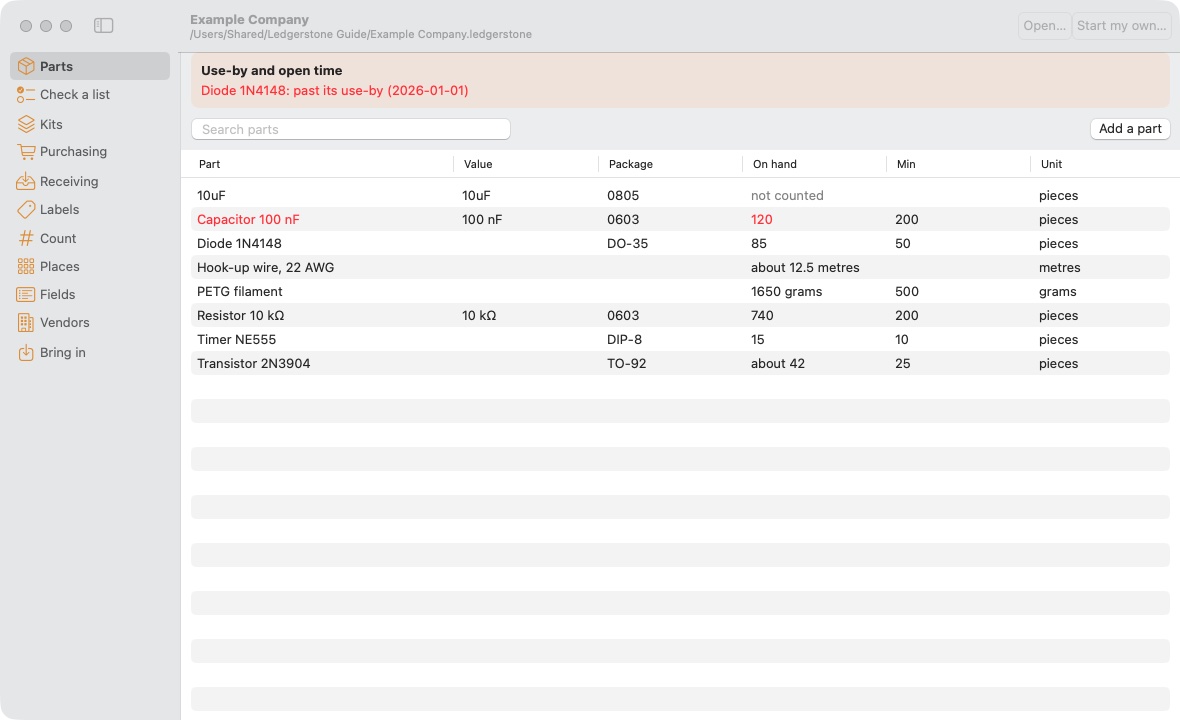
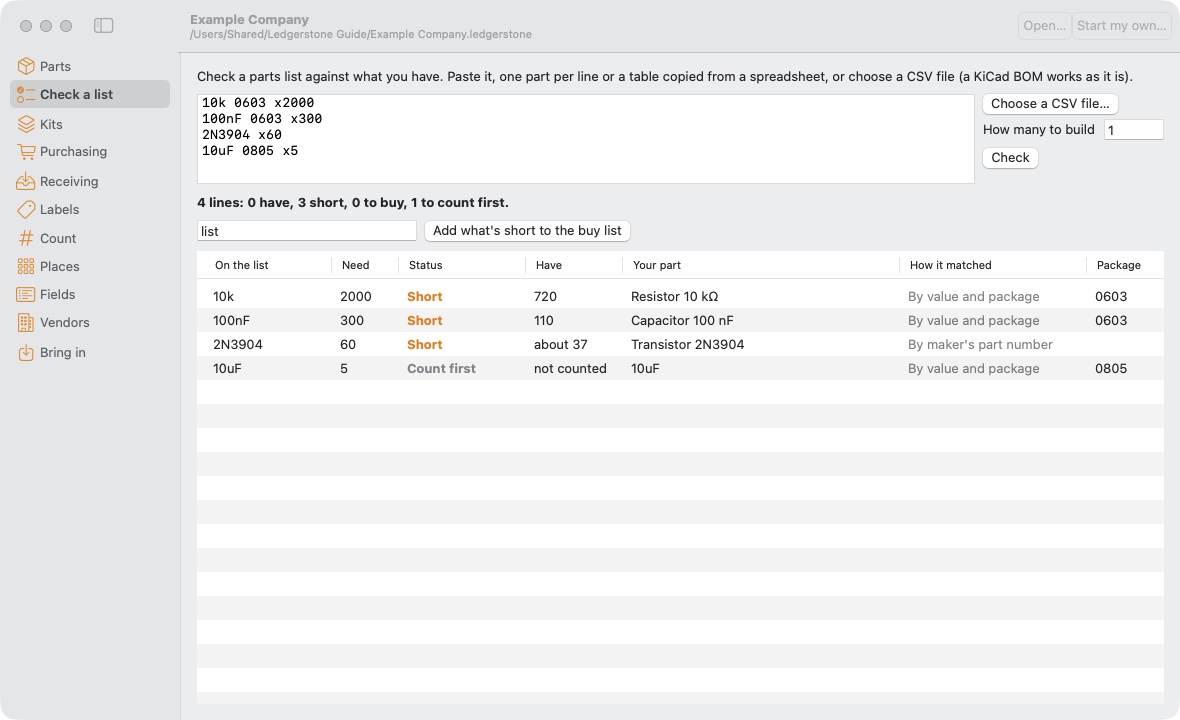
Ledgerstone keeps track of the parts you have and where they are: which cabinet, which drawer, which bin. Paste a parts list or a KiCad BOM and it tells you what you have, what is short and what to buy. What is short collects by vendor and becomes an order; what arrives is put away into its bins; and it prints the bin labels to match.
You set it up your own way – your own places, your own fields, your own vendors, your own label stock. It opens on Example Company, a made-up shop, so there is something to try before you start your own. No account, it works offline, and it sends nothing.
What it does
- Check a list – a pasted list, a spreadsheet or a KiCad BOM, matched by part number, value and package, or the nicknames you teach it
- Purchasing – what is short, grouped by vendor, with search links for Digi-Key, Mouser, LCSC, Amazon and eBay, then orders with shipping, tax and receipts kept, and a year-end folder for whoever does the taxes
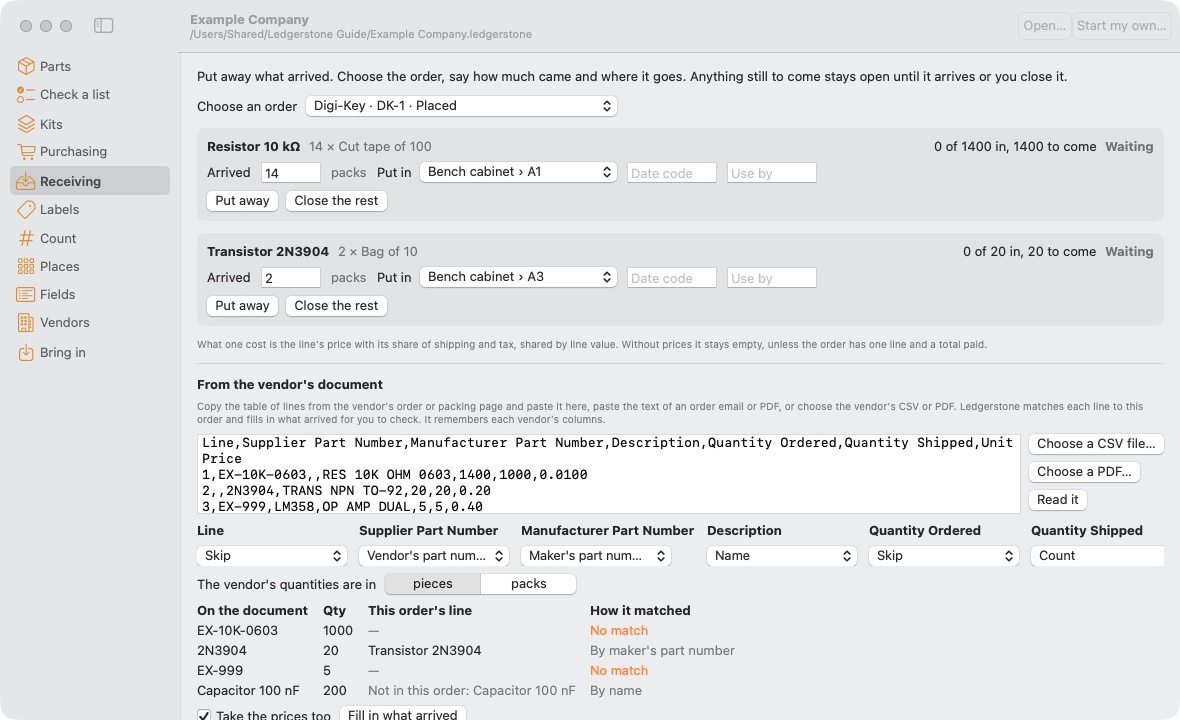
- Receiving – put away what arrived, line by line, or paste the vendor's packing list or order email and let it fill the lines in
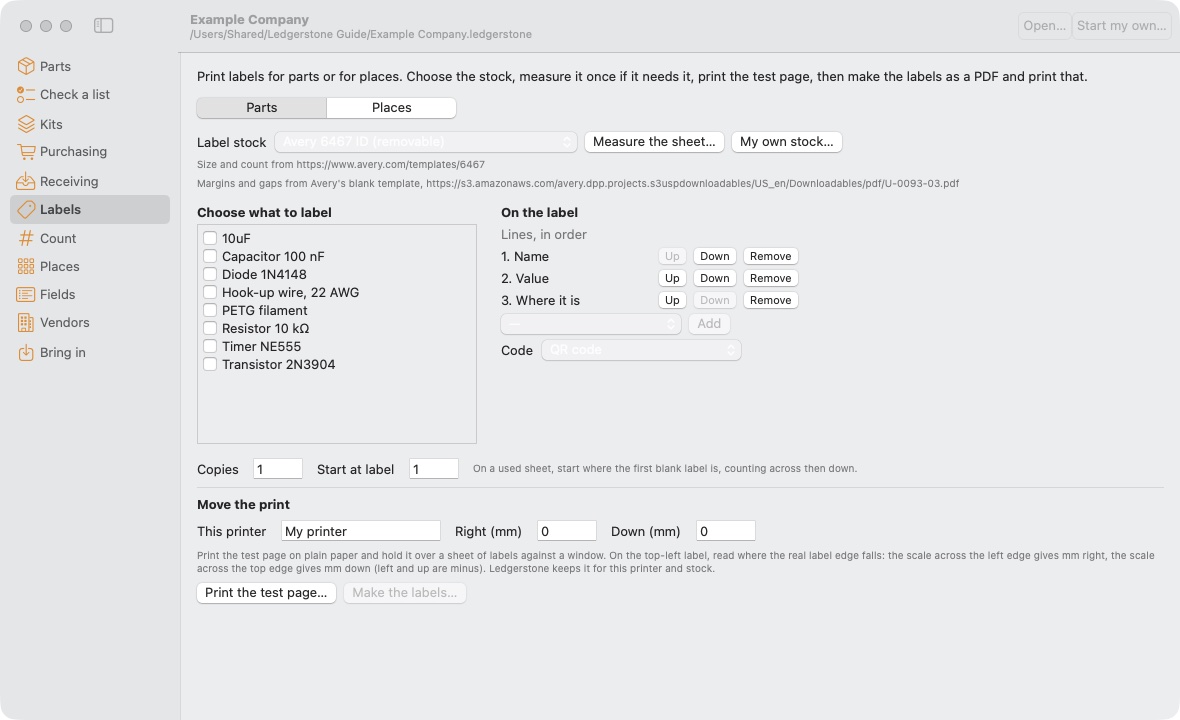
- Labels – bin labels on eleven Avery sheets and their copies, or any sheet or roll you measure, with QR codes and a test page to line up your printer
- Count – a few places each week instead of a lost day, by USB scanner, by hand, or by weight
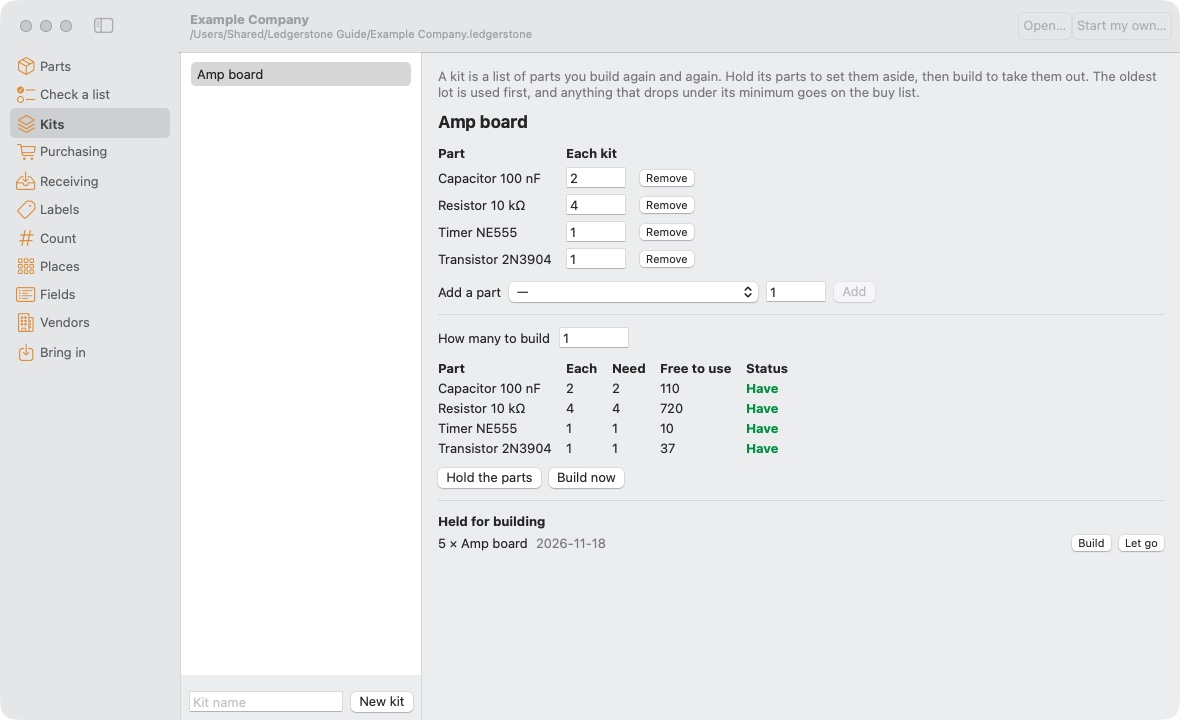
- Kits – hold the parts for a build, build it, oldest stock first, and whatever runs low goes on the buy list
- Shared – one machine shares its stock on the shop's network and the others join, Mac and Linux together, every change with the name of who made it
- Backed up – a copy of the whole stock every day into a folder you choose, the last 30 kept
Where it fits
- The hobbyist with more drawers than memory
- The repair bench that needs to know before it promises a date
- The small business with two or three people pulling from the same shelves
This version
0.11.1 is a release candidate. It is free. Everything in the plan is built on the Mac and on Linux; the Windows version follows once it has been tried on a real Windows PC. It is signed on this Mac only, so the first open needs the steps above. Nothing leaves your computer: no account, no tracking. Sharing a stock stays on your own network.
Data
- Version
- 0.11.1 (1), release candidate
- System
- macOS 14 or later. Apple silicon and Intel. Linux with Python 3 and GTK 3 (Debian, Ubuntu and Mint have both).
- File
- Ledgerstone.dmg, 2,874,757 bytes. Open it and drag Ledgerstone to Applications.
- Check
- SHA-256 821811210405f7ab4d4585c71191d3d45fff116e9561a8f9e2d36d2050bb8a9a
- Linux
- ledgerstone-0.11.1-linux.tar.gz, 561,245 bytes. Unpack it anywhere and run ./ledgerstone from the folder; ./install.sh adds it to the menu.
- Check
- SHA-256 2af7589daeeca1aae17394f86f52ea71c6a06b7fac657fc4a802cd153ac67308
- Guide
- Ledgerstone-Guide.pdf, 1,699,362 bytes, 32 pages, published 18 November 2026. Every screen, setting and file, with pictures.
- Stays
- On your computer. Nothing is sent.