
Find out where a sick logic board stops. A free tool for techs.
This preview is not signed by Apple yet. The first time it opens, macOS will refuse it – open System Settings › Privacy & Security and click Open Anyway beside Galena. On Sonoma, Control-click it in Applications and choose Open.
If macOS says the app is damaged, that is the mark it puts on files from the web. In Terminal, after Galena is in Applications:
xattr -dr com.apple.quarantine /Applications/Galena.appWhat it is
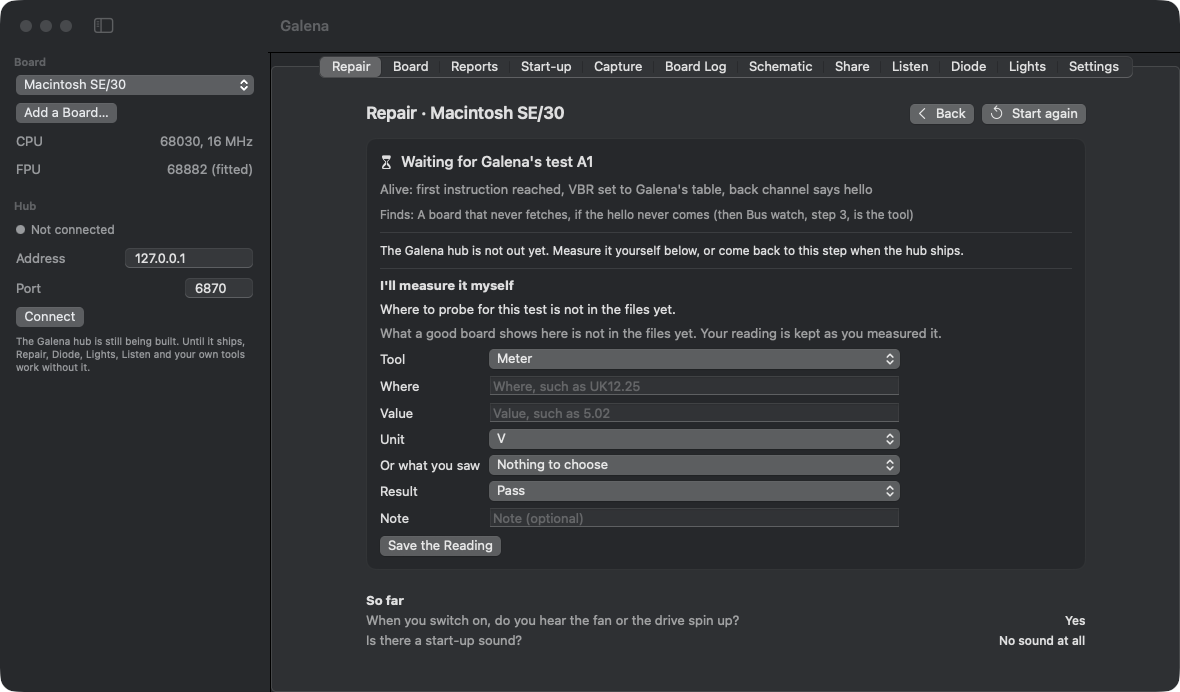
Galena takes the guessing out of a dead logic board. Is it power, the clock, the ROM, RAM, a chip, or a trace a leaky cap ate? It walks the repair one question at a time, tells you what to measure and where, and narrows it down until it points at the part. Every fact it shows says where it came from and how far it is trusted, so what has been checked on a real board stays apart from what is only reported.
It works the way a bench tech already works – a meter, a logic probe, a scope, a phone camera and your ears. No special hardware is needed, no account, and it is free.
What it does now
- Repair – the step by step walk, with your own measurements recorded as you go
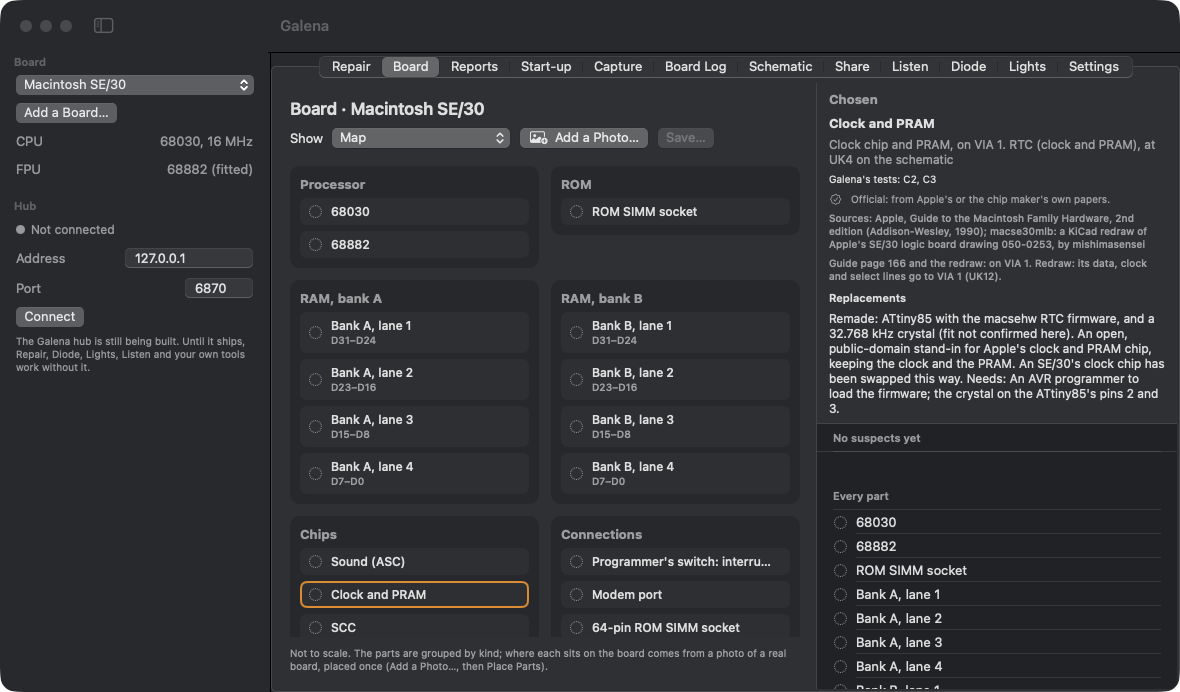
- Board – every part grouped by kind, its tests, and its replacements: made today, old stock, donor only, remade, or reprogrammable. Box the parts on a photo of your own board once and it becomes your map
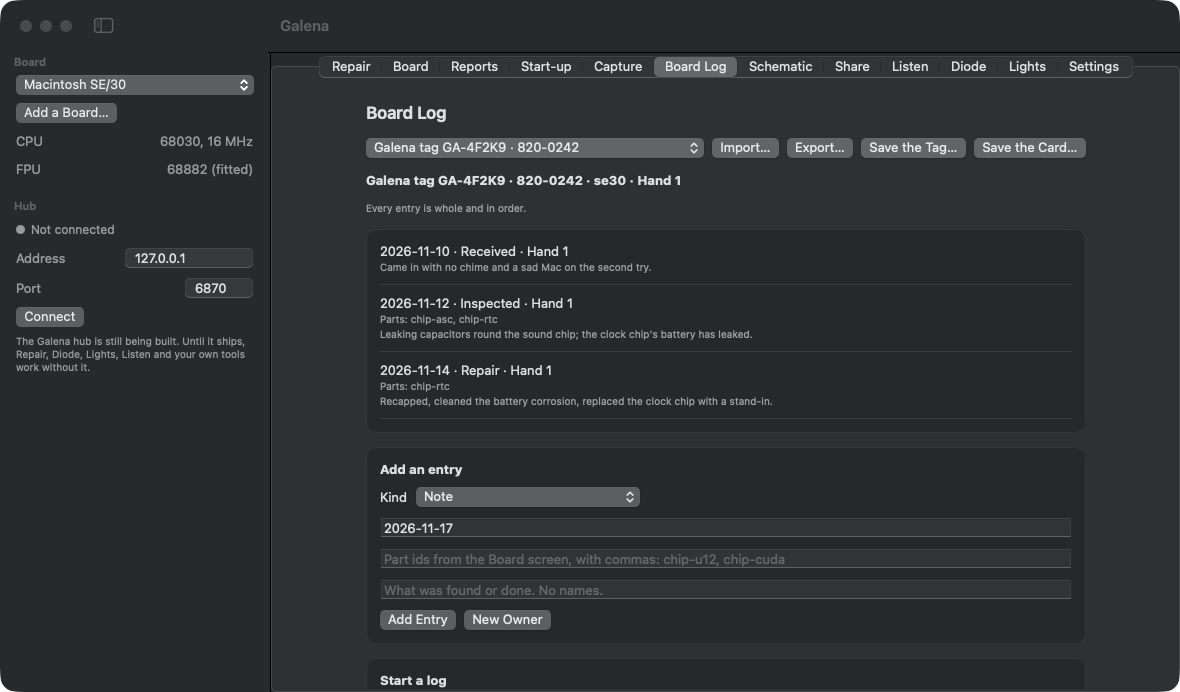
- Capture and Board Log – pictures checked sharp enough to read, labels and markings read and confirmed by you, and a log that follows the board from hand to hand with a QR tag and card. No names, ever
- Schematic – follow a signal pin to pin. The SE/30 comes with a full netlist; build your own for any board and export it to KiCad
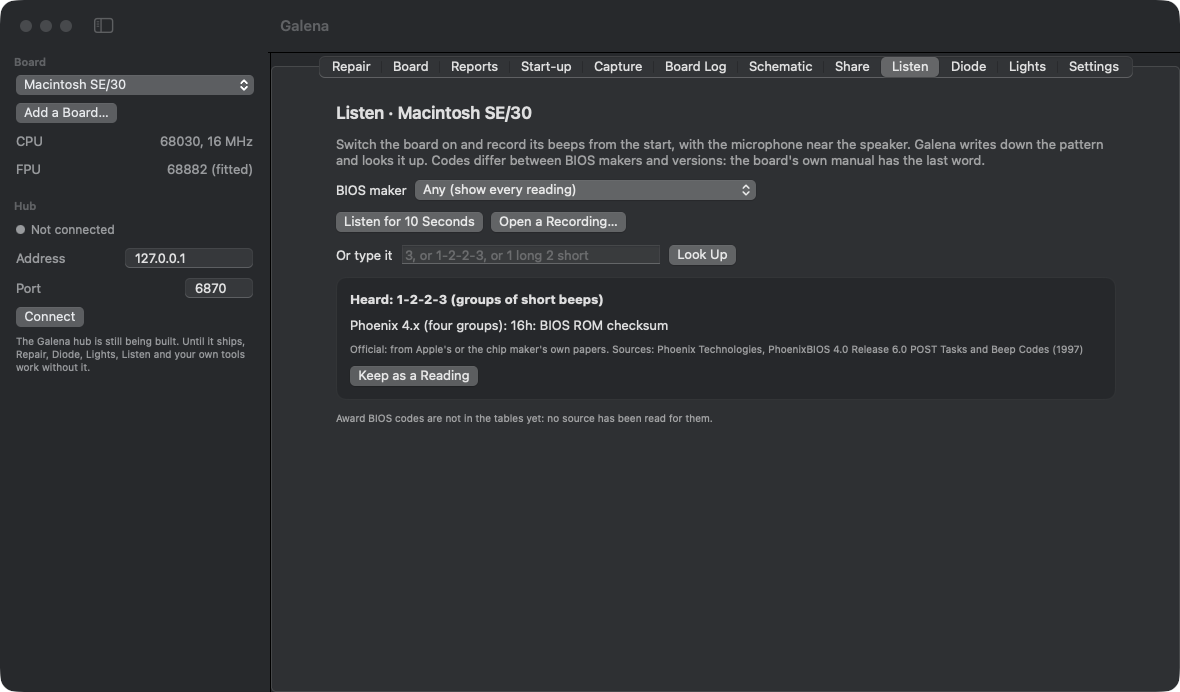
- Listen – beep codes by ear, from the microphone or typed in
- Lights – POST codes and debug lights read from a photo
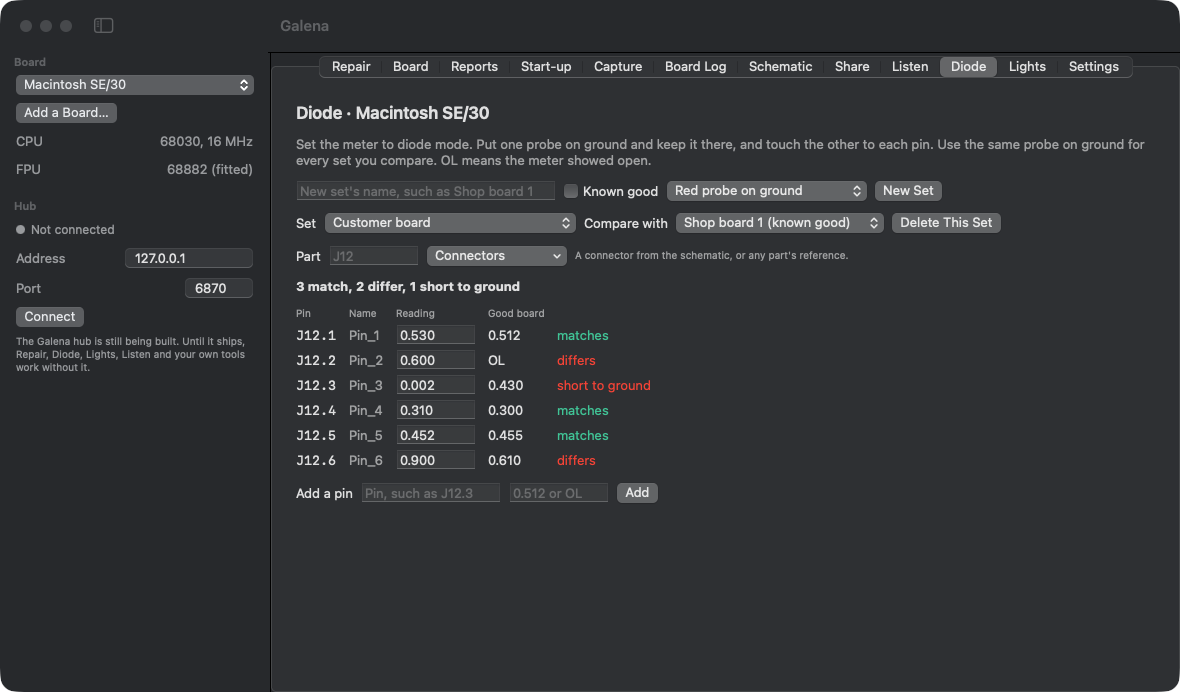
- Diode – diode-mode readings against a known-good board, pin by pin
- Add a Board – it ships with the SE/30, IIci, Quadra 605 / LC 475 and Power Macintosh 7200, and takes whatever is on your bench, classic or modern
Where it is going

The Galena hub is still being built. It connects to a board through the places the board already has, no soldering, and when it ships the test steps in the walk answer themselves. Also on the way: a shared library so what one tech finds helps the next, more boards, and more BIOS codes. Galena itself stays free; the hub and its probes are the only things that will cost anything, and Galena never needs them.
Where it fits
- Vintage Mac repair, where the board will not chime and nobody knows why
- Repair shops that want a straight answer before they start desoldering
- PC boards that will not start
- Collectors keeping old machines alive for the long haul
This version
0.12.1 is a preview, the first build out of the shop. It is free. It is signed on this Mac only, so the first open needs the steps above. Nothing leaves your computer: Share shows what would go to the shared library and saves it to a folder, nothing more. The details for makers who want to build their own hardware for it are published with the full release.
Data
- Version
- 0.12.1 (20), preview
- System
- macOS 14 or later. Apple silicon and Intel. Linux on x86-64 with GTK 3.
- File
- Galena.dmg, 3,509,013 bytes. Open it and drag Galena to Applications.
- Check
- SHA-256 c318e1c95c5aaebfbf998cb9694b82eb888583dea94b749c73fa97effeb13522
- Linux
- galena-0.12.1-linux-x86_64.tar.gz, 60,330,568 bytes. Unpack it anywhere and run ./galena from the folder. Needs GTK 3 (on Debian, Ubuntu and Mint: gir1.2-gtk-3.0).
- Check
- SHA-256 1cf329eb12558cf6b7a7c829f02f7726e85ca25f1a86d78906ff9f92e3322f12
- Guide
- Galena-Guide.pdf, 1,642,434 bytes, 23 pages, published 17 November 2026. Every screen and what each button does, with pictures.
- Stays
- On your computer. Nothing is sent.